Quick answerOur recommendation in brief
The TP-Link Archer BE800 is the strongest standalone choice when one central router can cover the property and multi-gigabit connectivity matters. The Deco BE65 is the balanced mesh recommendation, while ASUS suits advanced wired networks. eero Max 7 prioritises simple premium ownership and Orbi 970 targets exceptionally large, demanding homes. The correct choice should be based on provider compatibility, building layout, wired backhaul and ongoing software costs rather than the largest theoretical speed number.
Our top picks at a glance
| Recommendation | Product | Best for | Lowest price | |
|---|
| Best powerful standalone router | TP-Link Archer BE800 | Fast broadband, wired devices and technically confident users | Check current price | View product |
| Best balanced Wi-Fi 7 mesh | TP-Link Deco BE65 | Larger homes that need two or three access points | Check current price | View product |
| Best for advanced wired networking | ASUS RT-BE88U | Gaming, home servers and complex wired networks | Check current price | View product |
| Best premium mesh for simple setup | Amazon eero Max 7 | Busy households and Amazon smart-home users | Check current price | View product |
| Best for very large homes | NETGEAR Orbi 970 Series | Large detached homes and demanding multi-gigabit networks | Check current price | View product |
Prices shown may change after you leave MainBuyer.
Best powerful standalone routerTP-Link Archer BE800
Tri-band Wi-Fi 7, 10-gigabit connectivity and extensive local controls make it the strongest single-router option when the home can be covered from one sensible central position.
Best for: Fast broadband, wired devices and technically confident users
Read review and retailer links Best balanced Wi-Fi 7 meshTP-Link Deco BE65
The Deco platform combines approachable app setup, multi-gigabit Ethernet and expandable coverage without reaching the extreme price of flagship mesh systems.
Best for: Larger homes that need two or three access points
Read review and retailer links Best for advanced wired networkingASUS RT-BE88U
A large selection of 10G, 2.5G and gigabit ports, detailed settings and AiMesh expansion suit enthusiasts who need more control than most app-led mesh kits provide.
Best for: Gaming, home servers and complex wired networks
Read review and retailer links Best premium mesh for simple setupAmazon eero Max 7
TrueMesh management, 10-gigabit ports and a deliberately simple app make it attractive to households that value low-effort operation more than granular local configuration.
Best for: Busy households and Amazon smart-home users
Read review and retailer links Best for very large homesNETGEAR Orbi 970 Series
Flagship quad-band hardware, dedicated high-capacity backhaul and broad claimed coverage target large properties with many devices and a very substantial budget.
Best for: Large detached homes and demanding multi-gigabit networks
Read review and retailer links Start with the broadband connection and ISP requirements
The router cannot create internet speed that the broadband line does not deliver. A household on a conventional sub-gigabit package may gain better coverage, lower congestion and more stable connections from a new system, but it will not see multi-gigabit downloads simply because the router supports Wi-Fi 7. Before buying, record the package speed, the type of service entering the property and whether the provider equipment includes an integrated modem or optical-network terminal. Fibre-to-the-premises services often make replacement easier because the new router can connect to the existing terminal, while DSL services may require a separate modem or the provider hub operating in a suitable mode.
UK provider authentication and television or telephone services can complicate replacement. TP-Link publishes provider-specific guidance for services such as BT and Sky, but the exact procedure can change by product and contract. Some households will keep the ISP hub and use the new equipment in access-point or bridge mode. That avoids authentication problems but can disable routing, parental-control or security features on one of the systems. Confirm the intended topology before ordering and avoid running two routers with overlapping DHCP and network-address-translation functions unless there is a deliberate reason.
Choose one strong router or a mesh system
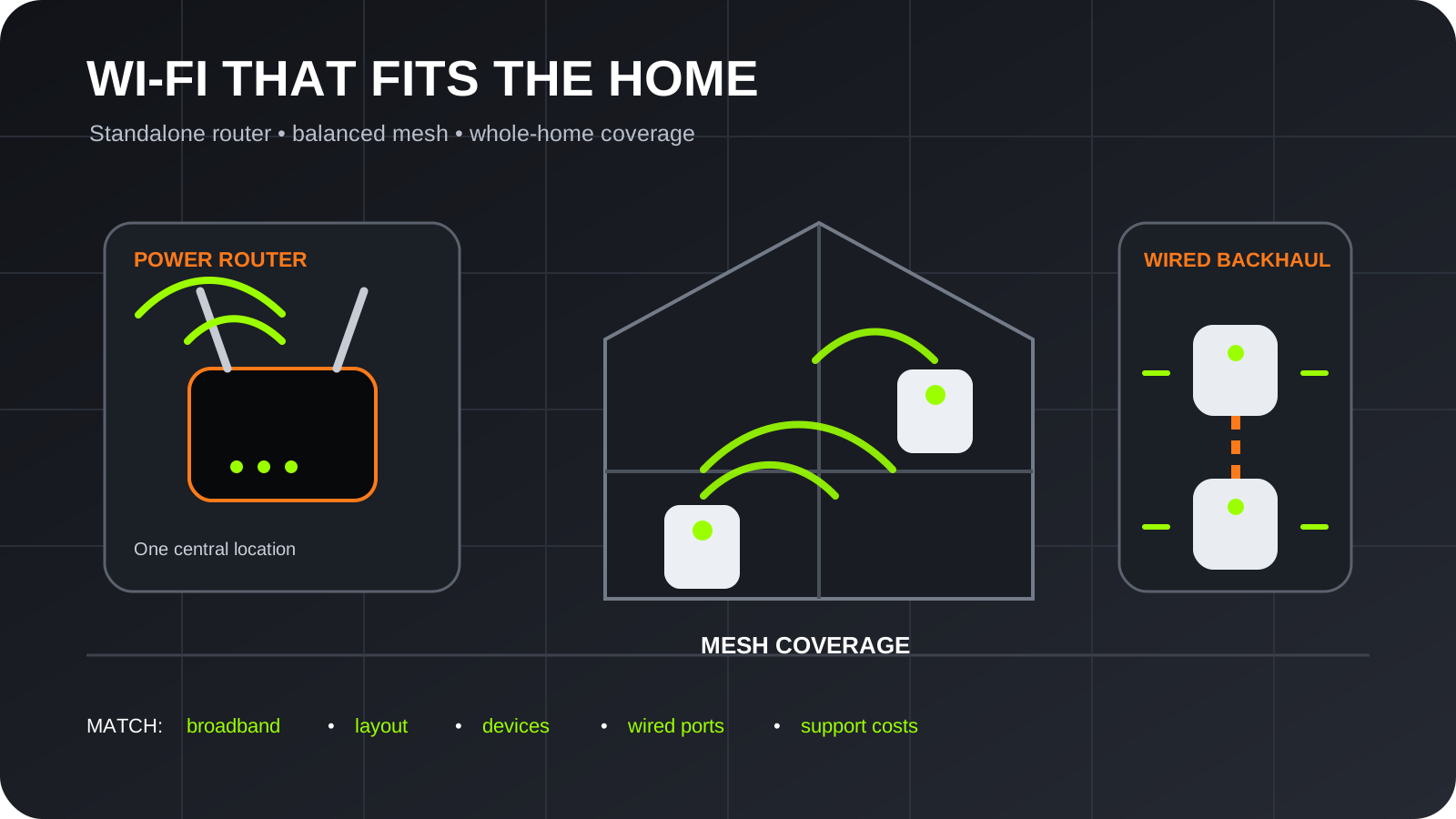
A standalone router is usually the cleaner choice for a modest home when it can sit near the centre, above floor level and away from metal cabinets, thick masonry and electronic interference. It gives wired devices direct access to the main unit and often exposes more detailed settings. The TP-Link Archer BE800 and ASUS RT-BE88U are substantial performance routers, but placing either in a corner beside the incoming line can waste much of its capability. A long Ethernet cable to a better position may improve the network more than buying a more expensive model.
Mesh is designed for homes where one location cannot provide reliable coverage. Each node creates another useful access point, but placement still matters: a wireless satellite needs a strong link back to the main unit, not merely a place inside the dead zone. Systems with dedicated backhaul or wired Ethernet between nodes preserve more capacity under load. Two carefully positioned units are often better than three crowded units that interfere with one another. Buyers should map weak rooms, cable routes and available sockets before deciding how many nodes to purchase.
Wi-Fi 7 benefits depend on compatible clients
Wi-Fi 7 adds features intended to improve speed, latency, efficiency and reliability, including Multi-Link Operation and wider channels on compatible bands. Those advantages require suitable phones, computers and adapters, and they are influenced by local spectrum rules, distance and walls. Older Wi-Fi 5 and Wi-Fi 6 devices will still connect, but they do not become Wi-Fi 7 clients. A household with several new laptops and a fast local storage server can use the upgrade more fully than one whose main devices are older televisions and smart plugs.
The 6 GHz band offers additional clean spectrum but has shorter practical reach through walls than lower frequencies. It can be excellent in the same room or for a well-positioned mesh backhaul, yet it should not be treated as a universal coverage solution. The ASUS RT-BE88U is notable because it is a dual-band Wi-Fi 7 router rather than a tri-band 6 GHz model; its appeal is exceptionally broad wired connectivity and detailed network control. Compare the exact radio configuration instead of assuming every product carrying the Wi-Fi 7 label works identically.
Wired ports can matter more than headline wireless speed
Multi-gigabit Ethernet is useful for broadband above one gigabit, network-attached storage, workstation transfers and wired backhaul. It is less valuable when every connected device has a one-gigabit port and the broadband package is slower. Check which port can operate as WAN, which remain available for local devices and whether choosing one mode disables another. The Archer BE800, ASUS RT-BE88U, eero Max 7 and flagship Orbi systems all promote high-speed wired networking, but their port counts and flexibility differ substantially.
Wired backhaul is one of the most dependable ways to improve a mesh network because it removes the need for satellites to share wireless capacity for their connection to the router. Existing Ethernet is ideal, while running new cable may be practical during renovation. Powerline networking is not an equivalent substitute in every house because results depend on the electrical circuits. Buyers with game consoles, televisions and desktop computers near a node should also check how many local Ethernet sockets each satellite provides.
Security, updates and subscriptions form part of ownership
A router is the boundary between the home network and the internet, so software support matters beyond the first month. Enable automatic firmware updates where offered, replace default administrative credentials, use WPA2 or WPA3 appropriately and remove remote-management features that are not required. The NCSC advises keeping smart devices and their software current. Separate guest or internet-of-things networks can reduce exposure between untrusted devices and personal computers, although the implementation and isolation level vary by manufacturer.
Several systems sell optional security, parental-control, ad-blocking or support subscriptions. eero Plus and NETGEAR Armor add services beyond basic routing, while ASUS promotes subscription-free security features and TP-Link divides some functions between included controls and paid services. Compare what remains available without payment, whether historical reports matter and what happens if the subscription is cancelled. A cheaper router with the controls you will actually use may be better value than premium hardware whose most attractive software requires another annual bill.
App simplicity and local control are different priorities
App-led systems are attractive when a household wants guided setup, automatic optimisation and clear device lists. eero and Deco place most everyday administration in the phone app, reducing the number of technical decisions. That is helpful for many users, but advanced owners may miss detailed radio settings, local web administration, traffic rules or extensive VPN options. ASUS is the opposite: it offers broad configuration and many networking features, which can feel overwhelming when the goal is simply to remove a dead spot.
Consider who will maintain the system after installation. Cloud accounts, two-factor authentication, shared household access and account recovery are practical ownership issues. A network that only one person understands can become a problem after a phone is replaced or the broadband provider changes. Keep a secure record of the administrator account, configuration and cabling. Where possible, export a backup after the system is stable and document any custom DNS, port-forwarding, VPN or smart-home settings.
Measure the property rather than trusting coverage claims
Manufacturer coverage figures are useful for comparing ranges within one brand, but they are not promises for every building. Solid walls, foil-backed insulation, underfloor heating, mirrors, neighbouring networks and the vertical separation between floors can reduce performance. A long narrow property may need a different node arrangement from a square home of the same floor area. Outbuildings and gardens are especially challenging because external walls can heavily attenuate the signal.
Use the existing network to identify weak areas at different times and test both speed and stability. Video calls, game latency and reliable smart-camera uploads can reveal problems that a single download test misses. Place a new system provisionally before hiding cables, then adjust node positions. The best result is not necessarily the highest speed beside the router; it is consistent performance in the rooms and locations that matter.
What to consider before buying
- Check whether the new router can authenticate directly with the broadband provider.
- Map dead zones and available Ethernet routes before deciding how many mesh nodes to buy.
- Do not pay for multi-gigabit hardware unless the broadband or local network can use it.
- Compare included parental controls and security functions with optional subscriptions.
- Prioritise automatic security updates and a clearly stated support lifecycle.
- Keep smart-home and guest devices on separate networks when the system supports meaningful isolation.
Frequently asked questions
Do I need Wi-Fi 7 for gigabit broadband?
No. A well-designed Wi-Fi 6 or 6E system can serve gigabit broadband effectively. Wi-Fi 7 is most attractive for new compatible devices, multi-gigabit local networking, lower latency and buyers who intend to keep the equipment for several years.
Is mesh Wi-Fi faster than a normal router?
Mesh is mainly a coverage solution. It can be faster in distant rooms because devices connect to a nearer node, but a single strong router may be faster close to the main unit. Wireless backhaul, node placement and interference determine the result.
Can I replace the router supplied by my internet provider?
Often yes, but the method depends on the connection and provider. Authentication, modem functions, digital voice and television services may require retaining the provider hub or following model-specific setup instructions.
How many mesh nodes does a UK home need?
There is no universal number. Many medium homes need two well-positioned units, while larger or unusually shaped properties may need three. Buying too many can create unnecessary interference, so begin with the smallest credible kit and expand if required.
Should I use Ethernet backhaul?
Yes when practical. Ethernet gives mesh nodes a stable high-capacity connection and normally improves consistency, especially in busy homes or buildings with thick walls. The benefit may be greater than upgrading to a more expensive wireless-only kit.
Evidence and methodologyHow this guide was prepared
This guide uses official specifications, manufacturer guidance, retailer model information and MainBuyer editorial judgement. It explains trade-offs rather than claiming one product is right for everyone, and it does not describe research-based assessments as hands-on tests.
See how we review, our editorial policy and corrections policy.
Last editorial review: 2026-07-14
SourcesResearch references